After Execution Modifiers
If you're building an agent, we recommend using sessions instead. Sessions handle tool fetching, authentication, and execution automatically.
After execution modifiers are part of Devcaster SDK's powerful middleware capabilities that allow you to customize and extend the behavior of tools.
These modifiers are called after the tool is executed. This allows you to modify the result of the tool before it is returned to the agent.
Useful for:
- Modifying or truncating the output of the tool
- Converting the output to a different format before returning it to the agent
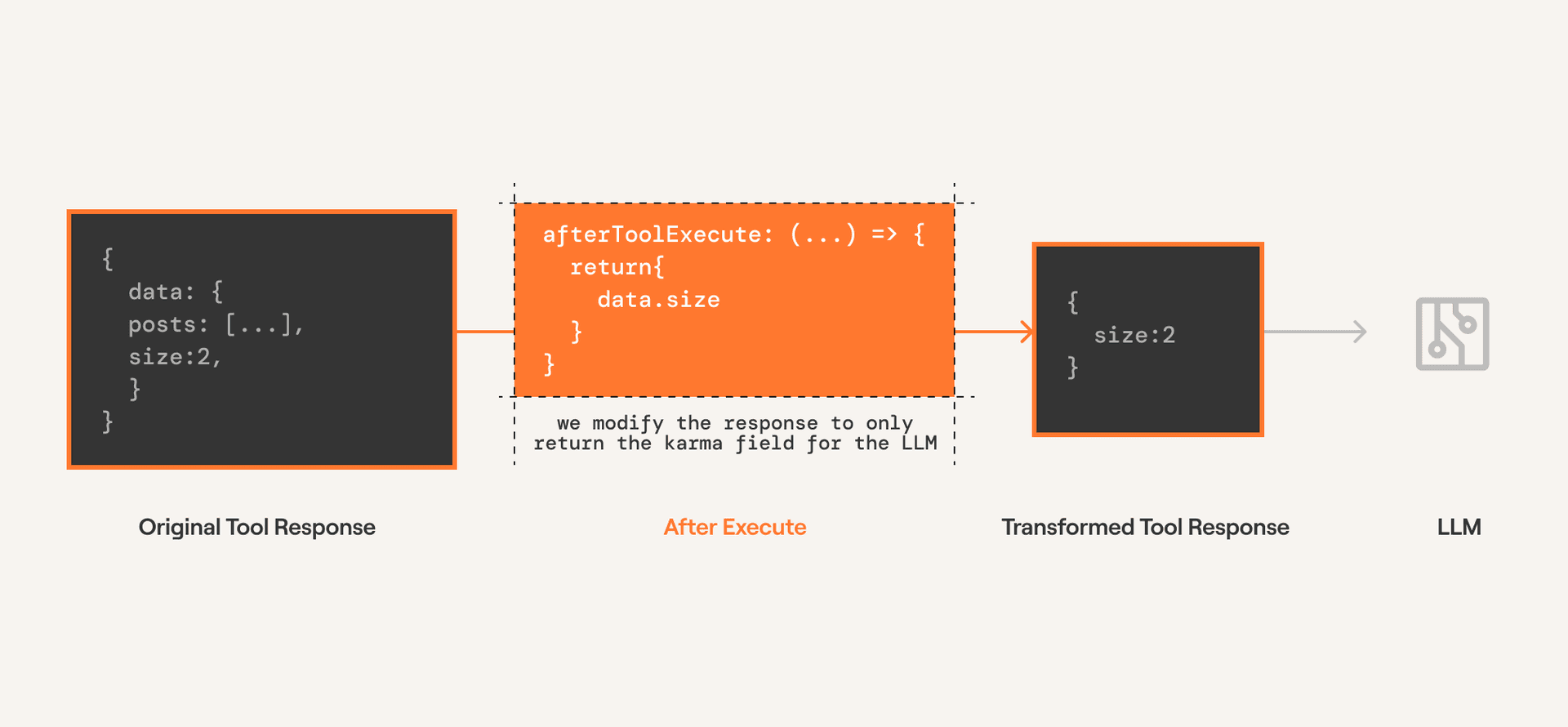
Below we use the afterExecute modifier to truncate the output of HACKERNEWS_GET_USER and only return the karma of the user.
With Chat Completions
Since completion providers don't have a function execution step, Devcaster executes the tool call directly. The modifier is configured on the tools.execute method.
from devcaster import Devcaster, after_execute
from devcaster.types import ToolExecutionResponse

@after_execute(tools=["HACKERNEWS_GET_USER"])
def after_execute_modifier(
    tool: str,
    toolkit: str,
    response: ToolExecutionResponse,
) -> ToolExecutionResponse:
    return {
        **response,
        "data": {
            "karma": response["data"]["karma"],
        },
    }

tools = devcaster.tools.get(user_id=user_id, slug="HACKERNEWS_GET_USER")

# Get response from the LLM
response = openai_client.chat.completions.create(
    model="gpt-4o-mini",
    tools=tools,
    messages=messages,
)
print(response)

# Execute the function calls
result = devcaster.provider.handle_tool_calls(
  response=response,
  user_id="default",
  modifiers=[
     after_execute_modifier,
  ]
)
print(result)
const response = await openai.chat.completions.create({
model: "gpt-4o-mini",
messages,
tools,
tool_choice: "auto",
});
const { tool_calls } = response.choices[0].message;
console.log(tool_calls);
if (tool_calls) {
const {
function: { arguments: toolArgs },
} = tool_calls[0];
const result = await devcaster.tools.execute(
"HACKERNEWS_GET_USER",
{
userId,
arguments: JSON.parse(toolArgs),
},
{
afterExecute: ({ toolSlug, toolkitSlug, result }) => {
if (toolSlug === "HACKERNEWS_GET_USER") {
const { data } = result;
const { karma } = data.response_data as { karma: number };
return {
...result,
data: { karma },
};
}
return result;
},
}
);
console.log(JSON.stringify(result, null, 2));
}With Agentic Frameworks
Agentic providers have a function execution step. The modifier is configured on the tools.get method which modifies the execution logic within the framework.
from devcaster import Devcaster, after_execute
from devcaster.types import ToolExecutionResponse
from devcaster_crewai import CrewAIProvider

devcaster = Devcaster(provider=CrewAIProvider())

@after_execute(tools=["HACKERNEWS_GET_USER"])
def after_execute_modifier(
    tool: str,
    toolkit: str,
    response: ToolExecutionResponse,
) -> ToolExecutionResponse:
    return {
        **response,
        "data": {
            "karma": response["data"]["karma"],
        },
    }

tools = devcaster.tools.get(
    user_id="default",
    slug="HACKERNEWS_GET_USER",
    modifiers=[
        after_execute_modifier,
    ]
)
import { Devcaster } from "@devcaster/core";
import { VercelProvider } from "@devcaster/vercel";
import { v4 as uuidv4 } from "uuid";
const devcaster = new Devcaster({
apiKey: process.env.DEVCASTER_API_KEY,
provider: new VercelProvider(),
});
const userId = uuidv4();
const agenticTools = await devcaster.tools.get(
userId,
{
tools: ["HACKERNEWS_GET_USER"],
},
{
afterExecute: ({ toolSlug, toolkitSlug, result }) => {
if (toolSlug === "HACKERNEWS_GET_USER") {
const {
data: { response_data: { karma } = {} } = {},
} = result;
return {
...result,
data: { karma },
};
}
return result;
},
}
);